
In Progress Double Dragon Rampage (formerly known as Double Dragon Mini)

The project is currently under development.
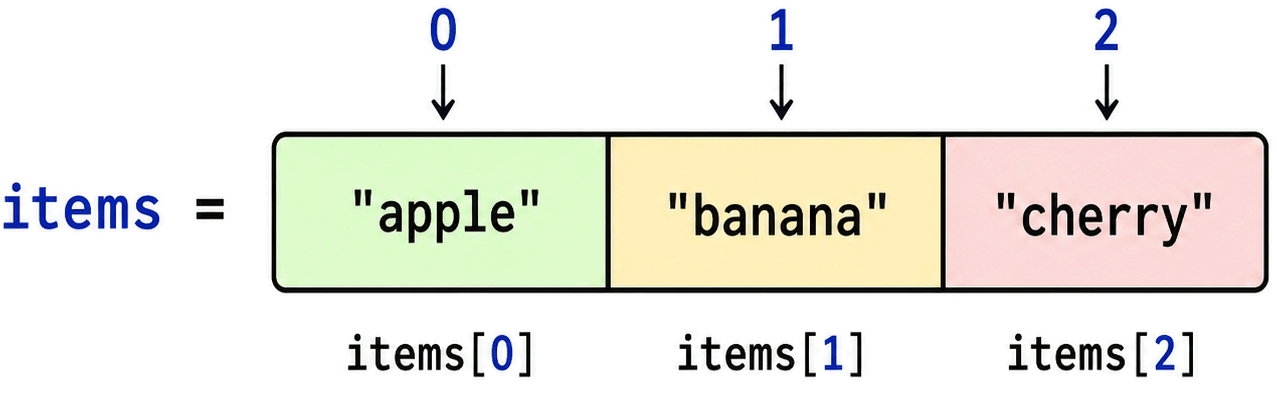
In my case, I had to work around a limitation of the OpenBOR engine: it does not support arrays in scripts. So for the 10×20 playfield, I used individual global variables for each cell:

Oh no, friend, you should have asked first. OpenBOR very much does support arrays. It has indexed arrays, and literal key arrays, the later with a native cursor for traversal.

Both types support nesting for building multi-dimensional arrays. You can even nest different array types into each other.

Your workaround, while commendable, is specifically one of the things we try to warn creators to never do.

Here's a tutorial I wrote if you're interested. There's a copy here in the forum too, but this one is newer.

Next time throw us a line if you're unsure about something. Any time you have decided there's a limit to the engine, I can almost guarantee you it has a solution specifically tailored to handle your problem. :)

DC
 
I have a problem, or maybe I'm misunderstanding something. The standard HitFX function behaves strangely. When I put HitFX in an attack animation, the sound gets distorted — you can hear it in some of the videos I've posted. Sometimes the sound plays fine. OpenBOR v. 4

Sound it's one "Tube_hitfx.wav" but playing different in 00:52:00 и 00:54:00

In 00:54:00 sound right
In 00:52:00 sound different

It’s the same with many animations — sometimes they play fine, sometimes they get distorted.

HitFx natively tunes playback speed to distort the sound based on damage output. It's hardcoded to assume 10 as baseline damage.

Best advice for hitfx is don't use it. It is an archaic functionality from the original BOR left in for backward compatability. To add hit sounds, use flashes instead - an invisible one if you don't need visual effect, and play sounds from the flash model. You will find this is much more elegant to work with.

HTH,
DC
 
Oh no, friend, you should have asked first. OpenBOR very much does support arrays. It has indexed arrays, and literal key arrays, the later with a native cursor for traversal.

Both types support nesting for building multi-dimensional arrays. You can even nest different array types into each other.

Your workaround, while commendable, is specifically one of the things we try to warn creators to never do.

Here's a tutorial I wrote if you're interested. There's a copy here in the forum too, but this one is newer.


Next time throw us a line if you're unsure about something. Any time you have decided there's a limit to the engine, I can almost guarantee you it has a solution specifically tailored to handle your problem. :)

DC
Thank you so much for the clarification! I really got myself into a pickle — all that struggle with generating variable names, and it turns out there were proper arrays with indices and lists available all along. I admit that was an oversight on my part: I should have asked right away instead of building workarounds.😯

The guide you wrote is a real gem. The section about hash acceleration for string keys was especially useful: now I understand why dynamic variable names hit performance so hard. I'll gladly study the whole thing.

I'm currently rewriting the mini-games to use indexed arrays. Tetris has already been converted to a 200-element field array — the code became much cleaner and faster. Next up are Galaga, Breakout, and Snake.

Thanks again for the support and for sharing your knowledge. Next time I have doubts, I'll check the documentation or ask on the forum first.(y)
 
HitFx natively tunes playback speed to distort the sound based on damage output. It's hardcoded to assume 10 as baseline damage.

Best advice for hitfx is don't use it. It is an archaic functionality from the original BOR left in for backward compatability. To add hit sounds, use flashes instead - an invisible one if you don't need visual effect, and play sounds from the flash model. You will find this is much more elegant to work with.

HTH,
DC
Thanks for the explanation! That makes perfect sense now — the distortion was actually tied to the damage scaling, which I didn't realize. I had a feeling HitFX was doing something weird under the hood.

I'll definitely switch over to using flash entities for hit sounds and remove HitFX from my attack animations. The invisible flash approach sounds like a much cleaner and more flexible solution.

Appreciate you clearing that up!;)
 
Thanks for the explanation! That makes perfect sense now — the distortion was actually tied to the damage scaling, which I didn't realize. I had a feeling HitFX was doing something weird under the hood.
you set this to prevent the speed change:

noslowfx {bi}

  • If set to 1, hit sounds will always play at the normal speed. Normally, the higher the damage of an attack, the slower it's hitsound plays.
 
you set this to prevent the speed change:

noslowfx {bi}

  • If set to 1, hit sounds will always play at the normal speed. Normally, the higher the damage of an attack, the slower it's hitsound plays.
Hmm... Wow, it turns out the solution was right under my nose, haha. 😄 Thank you so much, you helped me a lot! Still, I’m going to stick with the default HitFX function. Making custom HitFX for Flash with all my different sounds would mean creating too many different Flashes, and that might get confusing.
 
Refactoring Double Dragon Mini: moving to OpenBOR arrays

Hi everyone! ;) I'd like to share some optimization work I did on our project Double Dragon Mini. For a long time the code relied on dynamically generated global variable names:

C:
setglobalvar("tetris_cell_" + col + "_" + row, value);
setglobalvar("galaga_enemy_alive_" + i, 1);
It worked, but every access involved number-to-string conversion, concatenation, hashing, and hash-table lookup. In hot paths (dozens of calls per frame), the overhead added up quickly. 😵‍💫

What I changed

After reading Damon Caskey's guide "Using OpenBOR Arrays", I moved all homogenous data to indexed arrays (array(N)), which give O(1) access through simple offset arithmetic.

Mini-games (8 total):
  • Galaga — 10 arrays of 5 elements each, replacing 50 global variables
  • Breakout — one array of 18 bricks
  • Snake — segment coordinate arrays (200 elements, plenty of headroom)
  • Dodge — 4 arrays of 5 objects each
  • Tetris — playfield array of 200 elements
  • Pong, Flappy Bird, Whack-a-Mole — small data sets, left as-is
Main menu:
  • 14 cheat codes (~560 lines across 28 blocks) compressed into 3 array-based functions (~150 lines). A single call to process_cheat_codes() replaces all the input parsing.
  • Gallery: 16 variables → 2 arrays, gallery_arts[8], gallery_cache[8]
  • BVD Team: 4 variables → 1 array
Gameplay update:
  • Move List previews: 22 variables → 3 arrays
  • Options coordinates: 15 variables → 1 array opt_coords[15]
Memory management

Following the guide's recommendations:
  • Pointer validation before use: typeof(arr) == openborconstant("VT_PTR")
  • After free() always setglobalvar("...", NULL())
  • Arrays are allocated once and never resized in hot paths
  • No add() or delete() inside the gameplay loop — only get() and set()
Results
  • Performance: hundreds of string concatenations and hash lookups per frame eliminated
  • Readability: menu_script.c shrank by roughly 400 lines
  • Reliability: unified cleanup pattern removes memory leak risk
Big thanks to Damon Caskey DCurrent
for the detailed guide — without it I'd still be building workarounds. If you haven't read it yet, I highly recommend it: Using OpenBOR Arrays 😁
 
Everytime I check how this project is going it has added something else haha, great work
If someone would tell me that DDRampage added a mode that can tell you what to have for breakfast menus for every month I would believe it 100%
 
Everytime I check how this project is going it has added something else haha, great work
If someone would tell me that DDRampage added a mode that can tell you what to have for breakfast menus for every month I would believe it 100%
Haha 😄 , that is the best compliment for the project! Thanks for checking in and for your support, it really means a lot! ;)
 
Double Dragon Rampage — Barrels system & Smart AI update
Hey everyone! Sharing a major update on my OpenBOR project.

🛢️ Full Barrel System

**Regular barrels:**
- Pick up by punch (without `disablekeys` — model swap only)
- On hit enemy/wall — bounces, blinks and disappears via `Anim Death`

**Red explosive barrels:**
- Smokes when hit
- Explodes on death
- Area damage: 999 HP over ~60px radius
- **Chain reaction**: adjacent red barrels also explode
- Regular barrels in radius take damage too
- Instant explosion on throw (no blinking)

**Random loot:**
Universal `spawn_random_loot()`
- 15% bat
- 10% knife
- 10% pipe
- 45% nothing

🧠 Smart AI with Role Distribution

**Slot & rotation system:**
- Each enemy gets unique slot via `get_enemy_slot()`
- 1 player: slot 0 attacks, rest **surround**
- 2 players: slot 0 → P1, slot 1 → P2, rest surround
- Role rotation

**8-position surrounding:**
- Slot % 8 determines position: N, S, W, E, and diagonals
- Radius 40–60px from player
- Enemies don't overlap

**Dynamic override:**
- If player comes within 18px of a waiting enemy — it attacks
- Prevents "standing in a circle" issue

**Ladders:**
- Proper `Stair` search
- 2-second grace period after dismounting
- Force-exit after 90 ticks if stuck

🎮 Bonus: Arcade Cabinet

Classic arcade easter egg:
- `Arcade` model
- Approach + Attack → launch minigame
- 8 games: Pong, Galaga, Breakout, Snake, Flappy, Whack-a-Mole, Dodge, Tetris
- Level freeze
 

[OpenBOR] Double Dragon Rampage — Big Update: AI, Mario, Grapple Hook​

Hey everyone! Sharing a major update on my project. Recently, I've implemented several key features — from smart AI to a full-fledged platformer and Battletoads-style rope physics.

🛢️ Barrel System (regular + explosive)​

Regular barrel:

  • Pick up by punching (no disablekeys, only changeentityproperty("model"))
  • Carry in hands
  • Throw
  • On hitting an enemy/wall — bounce, blink
Red barrel (explosive):

  • Smokes when hit
  • Explosion deals area damage
  • Chain reaction: adjacent red barrels also explode
  • Regular barrels in radius — break
  • Instant explosion on throwing at a wall/enemy (no blinking)
Random loot via spawn_random_loot():

  • 15% bat, 10% knife, 10% pipe, 45% empty

🤖 Smart AI with Role Distribution​

Previously, all enemies would just mindlessly run and gang up on you. I rewrote the AI script:

Slots and rotation:

  • Each enemy gets a unique slot via get_enemy_slot()
  • 1 player: slot 0 attacks, the rest surround
  • 2 players: slot 0 -> P1, slot 1 -> P2, the rest surround
  • Rotation every 6 seconds
8-position surrounding:

  • Slot % 8: N, S, W, E + 4 diagonals
  • Radius 40-60 px from the player
  • Enemies do not overlap each other
Dynamic switching:

  • If the player gets closer than 18 px to a surrounder -> they attack

🍄 Super Mario Clone with Scrolling​

Key point: OpenBOR menu scenes do not have built-in scrolling. I implemented it manually — the entire world is in world coordinates (up to 3000 px), with cam_x subtracted during rendering.

Technically:

  • 3 parallax layers (clouds move slower)
  • Physics: JUMP_PWR = -14 (91 px height), gravity +1
  • Jump cut on button release (-6) — long/short jump
  • Sprint when holding Attack: speed 3 -> 5
  • Stomp enemies when pvy > 0 && old_bottom <= ey + 8
Content:

  • ?-blocks: hit from below -> +200 score, +1 coin, block becomes a brick
  • Auto-transition to level 2 after 2 seconds after victory
  • Bonus for lives on victory: +1000 × lives
  • HUD: SCORE, COINS, LIFE, "WORLD X-1" + progress bar

🪝 Grapple Hook (Battletoads-style)​

Full-fledged pendulum physics with hooking onto RopeHook points in the level.

How it works:

  • Pressing Attack near a hook (RP_RANGE = 200 px) -> rp_Start
  • Animation Follow51 (swing) -> rp_Throw (flight) -> rp_Connect (hang)
  • Follow52 (hang) — pendulum physics via 3 variables: len, ang, vel
  • Swinging ←→: vel += PUMP * dt
  • Climbing ↑↓: len -= CLIMB * dt
  • Punch (Attack) -> Follow53, kick (Attack2) -> Follow54
  • Jump -> rp_Launch with swing momentum
Rope rendering:

  • 3 parallel grey lines (drawline in 3 layers: dark outline, base, light highlight)
  • Perpendicular offsets via unit vector
  • Displayed only after the swing

🎬 Video Demo​

 
Back
Top Bottom