
You are using an out of date browser. It may not display this or other websites correctly.
You should upgrade or use an alternative browser.
You should upgrade or use an alternative browser.
altitude spawn
- Thread starter Gurtag
- Start date

hey guys, not sure if i asked about it back then soo.. can altitude be set on spawn, lets say i want char to spawn on a platform on the bigining of stage, is that posible?
Sure. It's a third parameter in the level text.
DC

Gurtag
Member
hey damon, the map has same Z value and uses platforms to progres upward, i know i can make that kind of map but wanted to test if spawning on top and progresing downwards was posible too.. i uped spawn1 (a) value enough to spawn several platforms above but doesn semm to work.... i am using old vercion by kratus 6392-3 could it be been outdated?
is there any platforming module around you recommend to study?
thanks for the help, there a lot of things i forgot about and am learning again ..
is there any platforming module around you recommend to study?
thanks for the help, there a lot of things i forgot about and am learning again ..

Bloodbane
Well-known member
Altitude setting in spawn{#} command only applies during respawning. IOW you can't use it to set player's starting position in a level.
You'd need script like this for that:
This script will place player 1 at x=200 and y=100 when level starts.
You'd need script like this for that:
Code:
spawn    Plat1
@script
void main()
{
    int P1 = getplayerproperty(0, "entity");

    if(P1){
      changeentityproperty(P1, "position", 200, NULL(), 100);
    }
}
@end_script
coords    320 460 90
at    0
This script will place player 1 at x=200 and y=100 when level starts.
Gurtag
Member
dragon nice to see your still around too and thanks for the help as allways, just tested it. and it works at first however if you die and respawn being of extra life or a restart then it spawns down in the bottom again...Altitude setting in spawn{#} command only applies during respawning. IOW you can't use it to set player's starting position in a level.
You'd need script like this for that:
Code:spawn Plat1 @script void main() { int P1 = getplayerproperty(0, "entity"); if(P1){ changeentityproperty(P1, "position", 200, NULL(), 100); } } @end_script coords 320 460 90 at 0
This script will place player 1 at x=200 and y=100 when level starts.
Bloodbane
Well-known member
Oh controlling respawning coords requires different script system. I could share the system but you'd still need to set the respawn settings yourself. And usually depending on the level structure, you'd need to set them multiple times.
Speaking of level, can you show us how the level look? we might need to see it to understand why.
Speaking of level, can you show us how the level look? we might need to see it to understand why.
Gurtag
Member
i dont have a level yet, before even starting anything came here to ask the openbor gods for wisdomOh controlling respawning coords requires different script system. I could share the system but you'd still need to set the respawn settings yourself. And usually depending on the level structure, you'd need to set them multiple times.
Speaking of level, can you show us how the level look? we might need to see it to understand why.

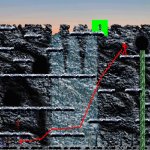
here is an older map of my mod that progress going uward, my idea was to implement a similar one but going downwards
Bloodbane
Well-known member
I was imagining Double Dragon when you mentioned respawning issue but then I've just realized that your game is 2D.
If that's the case, there are some solutions, here are two of them:
1. Spawn floating platform just below player when respawning. The platform appears briefly enough to give player time to see where they spawn and what to do next.
I've done this in Contra fangame but couldn't find any screenshot for that.
2. Spawn player at respawn points. The point could be visible or invisible but player would see it during respawning.
I've done this in Langit Lands in which if you die for any reason, you'll be respawned at respawn point with portal shown.
#1 doesn't require free scrolling but need context on why there's floating platform on respawn. #2 require free scrolling and need portal for respawn point but it could be replaced with check point.
I don't know which one suits your game. That's why I asked for some screenshots.
If that's the case, there are some solutions, here are two of them:
1. Spawn floating platform just below player when respawning. The platform appears briefly enough to give player time to see where they spawn and what to do next.
I've done this in Contra fangame but couldn't find any screenshot for that.
2. Spawn player at respawn points. The point could be visible or invisible but player would see it during respawning.
I've done this in Langit Lands in which if you die for any reason, you'll be respawned at respawn point with portal shown.
#1 doesn't require free scrolling but need context on why there's floating platform on respawn. #2 require free scrolling and need portal for respawn point but it could be replaced with check point.
I don't know which one suits your game. That's why I asked for some screenshots.
Last edited:
Gurtag
Member
yes the map would be 2d like image one..
hmm what would solution1 do if player allready spawn in the bottom? if spawned above it wouldnt need to spawn any aditional platforms below him roght, i am sure i am missing something sorry..
about solution 2 have no idea completly.. i asume you mean stuf done by script right?
hmm what would solution1 do if player allready spawn in the bottom? if spawned above it wouldnt need to spawn any aditional platforms below him roght, i am sure i am missing something sorry..
about solution 2 have no idea completly.. i asume you mean stuf done by script right?
Bloodbane
Well-known member
Yes both solutions are script based.
Well, the purpose of having floating platform is to prevent respawning player from falling to hole, if there's any.
I suggest playing Langit Lands and see how respawning works there.
For tall level like in the image, I'm going to assume that the level would allow scrolling both so solution #2 would be better solution.
if spawned above it wouldnt need to spawn any aditional platforms below him roght,
Well, the purpose of having floating platform is to prevent respawning player from falling to hole, if there's any.
about solution 2 have no idea completly
I suggest playing Langit Lands and see how respawning works there.
what would solution1 do if player allready spawn in the bottom?
For tall level like in the image, I'm going to assume that the level would allow scrolling both so solution #2 would be better solution.
Gurtag
Member
thanks a lot man, study your game and got it to work, however i would use this on specific levels only, and since part of the needed code is on respawn anim now every level need the spawn code too so when respawning player doesnt fall from the sky, could the player code be migrated to an anim other than respawn and force it on level? like with first spawn that forces follow1..Yes both solutions are script based.
Well, the purpose of having floating platform is to prevent respawning player from falling to hole, if there's any.
I suggest playing Langit Lands and see how respawning works there.
For tall level like in the image, I'm going to assume that the level would allow scrolling both so solution #2 would be better solution.
here the code .
anim respawn
loop 0
@script
if(frame==1){
void self = getlocalvar("self"); //Get calling entity
int xR = getglobalvar("xR");
int yR = getglobalvar("yR");
if(!xR){
xR = getentityproperty(self, "x");
}
if(!yR){
yR = getentityproperty(self, "y");
}
changeentityproperty(self, "position", xR, NULL(), yR);
}
if(frame==2){
void self = getlocalvar("self"); //Get calling entity
int eTime = openborvariant("elapsed_time");
changeentityproperty(self, "invincible", 1);
changeentityproperty(self, "invinctime", eTime + 400);
changeentityproperty(self, "blink", 1);
}
@end_script
delay 10
offset 102 162
frame data/chars/subzero/empty.gif
frame data/chars/subzero/empty.gif
frame data/chars/subzero/empty.gif
frame data/chars/subzero/spw18.gif
anim follow1
loop 0
@script
if(frame==1){
void self = getlocalvar("self"); //Get calling entity
int xR = getglobalvar("xR");
int yR = getglobalvar("yR");
if(!xR){
xR = getentityproperty(self, "x");
}
if(!yR){
yR = getentityproperty(self, "y");
}
changeentityproperty(self, "position", xR, NULL(), yR);
}
if(frame==2){
void self = getlocalvar("self"); //Get calling entity
int eTime = openborvariant("elapsed_time");
changeentityproperty(self, "invincible", 1);
changeentityproperty(self, "invinctime", eTime + 400);
changeentityproperty(self, "blink", 1);
}
@end_script
delay 10
spawnframe 27 0 0 0 0
subentity wn
offset 102 162
frame data/chars/subzero/empty.gif
frame data/chars/subzero/empty.gif
frame data/chars/subzero/empty.gif
delay 8
@cmd spawnAni "slide" 0 0 1 "ANI_Follow4"
sound data/chars/subzero/ice2.wav
frame data/chars/subzero/spw19.gif
on the leveltxt
@script
void main()
{
void P1 = getplayerproperty(0, "entity");
changeopenborvariant("xpos", 0);
changeentityproperty(P1,"position", 80);
performattack(P1, openborconstant("ANI_FOLLOW1"));
setglobalvar("xR", 80);
setglobalvar("yR", 1800);
}
@end_script
after further testing, it seems that if i start the map with the custom script spawns the values get stored on memory and repeatthemself at the next map only for respawn, if i star on a regular map first it works as normal.... could be a way to clear it from memory after finishing or quiting the custom spawn map,? that way wouldnt have to override the stored values in the next maps..
Last edited:
Bloodbane
Well-known member
could the player code be migrated to an anim other than respawn and force it on level? like with first spawn that forces follow1..
Sure, you'd need to set special setting with global variable such as this in the level:
Code:
spawn    delay
@script
void main()
{
  setglobalvar("Respawn", "Alt");
}
@end_script
health    20
coords    320 500
at    0
This global variable is latter checked by script in RESPAWN to change to FOLLOW1 if its value is "Alt".
could be a way to clear it from memory after finishing or quiting the custom spawn map,? that way wouldnt have to override the stored values in the next maps..
Yes, that's why in Langit Lands (and my other games) I always clear these variables in endlevel.c. Check that game and find endlevel.c in data/scripts folder. There should be these lines:
C:
  setglobalvar("xR", NULL());
  setglobalvar("yR", NULL());
which clears both respawn coords or check point.
Gurtag
Member
the endlevel script worked nice, for the rest run various test and variants, so far had to let aside and delete respawn and forced anim on spawn as it didnt work well with 2 players, migrated the script code to spawn anim and seem to be working fine for both players tough i would like to ask some help in a related issue, is that whenever a players dies it respawn at preset altitude/spawner, when playing 2 this may set them apart for considerably distance and sometimes off screen , is there a way to adjust respawn to active/alive player coordinates?Sure, you'd need to set special setting with global variable such as this in the level:
Code:spawn delay @script void main() { setglobalvar("Respawn", "Alt"); } @end_script health 20 coords 320 500 at 0
This global variable is latter checked by script in RESPAWN to change to FOLLOW1 if its value is "Alt".
Yes, that's why in Langit Lands (and my other games) I always clear these variables in endlevel.c. Check that game and find endlevel.c in data/scripts folder. There should be these lines:
C:setglobalvar("xR", NULL()); setglobalvar("yR", NULL());
which clears both respawn coords or check point.
Bloodbane
Well-known member
TBH free scrolling level and 2 players don't mix well. So instead of moving respawn coords to active player, I rather change how respawn works to work with 2 players. I suggest using #1 solution I've posted above.
The other reason I don't like coding that is the active player might be in wrong position such as above hole, stepped on a trap or just being beaten by an enemy.
The other reason I don't like coding that is the active player might be in wrong position such as above hole, stepped on a trap or just being beaten by an enemy.
Gurtag
Member
i know but level requires it and i am willing to put up with some unwanted stuf, never the less try to fix what i can... current functionality is fine with me but like i sayd a respawn teleporter to active player would do the final kick, or teleport active player to level start spawner whenever player2 dies would be fine as well.TBH free scrolling level and 2 players don't mix well. So instead of moving respawn coords to active player, I rather change how respawn works to work with 2 players. I suggest using #1 solution I've posted above.
The other reason I don't like coding that is the active player might be in wrong position such as above hole, stepped on a trap or just being beaten by an enemy.
i dont use holes or traps and been teleported to the fight isnt a problem..
anyway if i dont get to teleport players when dies... i am fine with what i have and very greatfull for all your help. after all it is all your work man thanks..
Bloodbane
Well-known member
Alright, I'll see what I can do.
[The Next Day]
Alright, I've got the respawn script working for single player and 2 players.
Before I start, I'm going to assume you're using FOLLOW1 you've quoted above.
The updated script will replace frame==1 section with this:
It works like this: if player is alone when respawning, they will teleport to set checkpoint coords. However, if there were second player when respawning, respawning player will respawn above the former.
HTH
[The Next Day]
Alright, I've got the respawn script working for single player and 2 players.
Before I start, I'm going to assume you're using FOLLOW1 you've quoted above.
C:
anim follow1
@script
if(frame==1){
void self = getlocalvar("self"); //Get calling entity
int xR = getglobalvar("xR");
int yR = getglobalvar("yR");

if(!xR){
xR = getentityproperty(self, "x");
}
if(!yR){
yR = getentityproperty(self, "y");
}

changeentityproperty(self, "position", xR, NULL(), yR);
}
if(frame==2){
void self = getlocalvar("self"); //Get calling entity
int eTime = openborvariant("elapsed_time");

changeentityproperty(self, "invincible", 1);
changeentityproperty(self, "invinctime", eTime + 400);
changeentityproperty(self, "blink", 1);
}
@end_script
The updated script will replace frame==1 section with this:
C:
anim follow1
@script
if(frame==1){
      void self = getlocalvar("self"); //Get calling entity
      int Plays = openborvariant("count_players");
      int xR, yR;

      if(Plays==2){
        int PIndex = getentityproperty(self,"playerindex");
        void P;

        if(PIndex==0){
          P = getplayerproperty(1, "entity");
        } else {
          P = getplayerproperty(0, "entity");
        }

        xR = getentityproperty(P, "x");
        yR = getentityproperty(P, "y") + 50;
      } else {
        int Screen = openborvariant("hResolution")*0.5;

        xR = getglobalvar("xR");
        yR = getglobalvar("yR");

        if(!xR){
          xR = getentityproperty(self, "x");
        }
        if(!yR){
          yR = getentityproperty(self, "y");
        }
        if(xR <= Screen){
          changeopenborvariant("xpos", 0);
        } else {
          changeopenborvariant("xpos", xR-Screen);
        }
      }
      changeentityproperty(self, "position", xR, NULL(), yR);
}
@end_script
It works like this: if player is alone when respawning, they will teleport to set checkpoint coords. However, if there were second player when respawning, respawning player will respawn above the former.
HTH
Last edited:
Gurtag
Member
no i ditched follow1 and respawn as it had problems with 2 players, just used the old code you posted on anim spawn and that way both players started at desired Y coordenates seting from the start (with follow1 had only one player spawn above and the other belowAlright, I'll see what I can do.
[The Next Day]
Alright, I've got the respawn script working for single player and 2 players.
Before I start, I'm going to assume you're using FOLLOW1 you've quoted above.
C:anim follow1 @script if(frame==1){ void self = getlocalvar("self"); //Get calling entity int xR = getglobalvar("xR"); int yR = getglobalvar("yR"); if(!xR){ xR = getentityproperty(self, "x"); } if(!yR){ yR = getentityproperty(self, "y"); } changeentityproperty(self, "position", xR, NULL(), yR); } if(frame==2){ void self = getlocalvar("self"); //Get calling entity int eTime = openborvariant("elapsed_time"); changeentityproperty(self, "invincible", 1); changeentityproperty(self, "invinctime", eTime + 400); changeentityproperty(self, "blink", 1); } @end_script
The updated script will replace frame==1 section with this:
C:anim follow1 @script if(frame==1){ void self = getlocalvar("self"); //Get calling entity int Plays = openborvariant("count_players"); int xR, yR; if(Plays==2){ int PIndex = getentityproperty(self,"playerindex"); void P; if(PIndex==0){ P = getplayerproperty(1, "entity"); } else { P = getplayerproperty(0, "entity"); } xR = getentityproperty(P, "x"); yR = getentityproperty(P, "y") + 50; } else { int Screen = openborvariant("hResolution")*0.5; xR = getglobalvar("xR"); yR = getglobalvar("yR"); if(!xR){ xR = getentityproperty(self, "x"); } if(!yR){ yR = getentityproperty(self, "y"); } if(xR <= Screen){ changeopenborvariant("xpos", 0); } else { changeopenborvariant("xpos", xR-Screen); } } changeentityproperty(self, "position", xR, NULL(), yR); } @end_script
It works like this: if player is alone when respawning, they will teleport to set checkpoint coords. However, if there were second player when respawning, respawning player will respawn above the former.
HTH
 )
)your updated code i tested it in multiple ways including readding follow1 and respawn but with all had the start problem with 2 players not spawning at Y coord set, the teleport to active player when dead works fine though..
this is the code i currently use and works, just need to add the teleport to active player when dies or join and also make 2 players start at custom Y coords values from start too
anim spawn
@script
if(frame==1){
void self = getlocalvar("self"); //Get calling entity
int xR = getglobalvar("xR");
int yR = getglobalvar("yR");
if(!xR){
xR = getentityproperty(self, "x");
}
if(!yR){
yR = getentityproperty(self, "y");
}
changeentityproperty(self, "position", xR, NULL(), yR);
}
@end_script
delay 20
offset 102 162
frame data/chars/subzero/empty.gif
this on level
spawn flash
@script
void main()
{
void P0 = getplayerproperty(0, "entity");
setglobalvar("yR", 1800);
}
@end_script
coords 1 1933
at 0
edit: i am dumb as a rock
..... finaly figured i should use old code on spawn and updated one in respawn and everything works now... thanks very much for all the help bloodbane i apreciate a lot.
Last edited: