Converting Mugen chars to OpenBOR

  • Thread starter Thread starter wintersun
  • Start date Start date
W

wintersun

Guest
so how exactly would someone convert a mugen character using openborstats?

 
Whatabout preview/extracting the sprites with the bind effects intact, not seperated. I'm always curious how to do that.
We never bind effects with sprites in Mugen - unless the person is very new on the scene.

This should be the case in OpenBOR too, but the way Mugen works with effects makes it ways easier so sometimes even I bind the effects with the sprites on Openbor

Preview the effects won't be hard - you can use the onionskin function on the AIR (animations) editor in Fighter Factory.
 
thank you. And this part please? How create large image where align images and crop?
It's self explanatory: create an image in any image editor, align all frames on that image using the same axis, import each image using those axis values and then use the trim took inside the fighter factory
 
We never bind effects with sprites in Mugen - unless the person is very new on the scene.

This should be the case in OpenBOR too, but the way Mugen works with effects makes it ways easier so sometimes even I bind the effects with the sprites on Openbor

Preview the effects won't be hard - you can use the onionskin function on the AIR (animations) editor in Fighter Factory.
Thanks O
 
It's self explanatory: create an image in any image editor, align all frames on that image using the same axis, import each image using those axis values and then use the trim took inside the fighter factory
I meant to ask if it's possible to do this whole process with Fighter Factory: if possible importing in Fighter Factory a large blank image that as background, crop all the frames together and then export them with "Save image (aligned)"
 
I meant to ask if it's possible to do this whole process with Fighter Factory: if possible importing in Fighter Factory a large blank image that as background, crop all the frames together and then export them with "Save image (aligned)"
you mean a single image with all the sprites and crop them in FF? Nope.
 
I want to save all sprites with the same offset and crop all at the same size of 500x500 pixels only with Fighter Factory
You can't set a image size on FF. It will automatically crate an image big enough to fit all the sprites.
This is why its always better to delete all the effects and portraits first, so you can only export the character sprites.

Then when you use SAVE IMAGE ALIGNED, it will create an image big enough to fit all the sprites automatically and will prompt to save the axis on a txt file.
 
I have extra question. I don't have idea for export pal applied sprites with fighters factory.
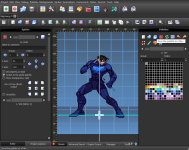
It depends on the Mugen content version you're referring to. For content up to Win Mugen, you can use the .act files listed in the character's .def file (OpenBOR supports .act files).

For Mugen 1.0 and later content – as long as it's not a 24-bit PNG – the palettes are saved directly within the .sff file, and you can save them directly from within Fighter Factory (this also works for Win Mugen content). It's the third button in the "Palettes" panel.

1781453042309.png
 
@O Ilusionista,

Something else worth mentioning here is timing, because MUGEN and OpenBOR handle animation timing quite differently. First, a terminology note: I’m using "primitive" and "modern" here in the technical programming sense. Neither is intended as an insult or praise.

MUGEN uses a primitive fixed-frame timing model. Its simulation runs at 60 ticks per second, so one timing unit is one frame: 16.67 ms. This matches traditional arcade and fighting-game design, where simulation and display timing are closely tied together. It is also why FGC terminology naturally describes startup, recovery, hitstun, and similar values in frames.

OpenBOR uses a modern decoupled timing model. Its simulation runs independently of the graphics loop, using world time rather than rendered frames. By default, the logical clock runs at 200 Hz, giving a resolution of 5 ms, while graphics normally update around 60 FPS or whatever the display configuration allows.

OpenBOR also defaults ordinary animation delays to centiseconds, so the default minimum positive animation delay is 10 ms.

On first glance, no problem. OpenBOR runs more than three times faster than MUGEN, so just use higher delays in OpenBOR. Well, no. It's actually running 3.33333... times faster, and that's the issue.

In practical terms:
  • MUGEN: 1 frame = 16.67 ms
  • OpenBOR logical tick: 5 ms
  • OpenBOR 1 delay: 10 ms
Those timing grids do not line up cleanly. The smallest delay step in OpenBOR is 6.67 ms faster than MUGEN'S smallest delay, but OpenBOR's next larger step, 20 ms, is 3.33 ms slower.

Some durations happen to align - 3 MUGEN frames equal 50 ms, which is exactly 5 OpenBOR centiseconds - but arbitrary frame timings will not.

There's really nothing you can do about this alignment difference in 3.0 or earlier versions. The clock is fixed @200 Hz and delay is always sanitized. You just have to tune as close as you can.

The latest 4.0 builds however, allow adjustment of clock speed and delay interpretation. By setting a logical clock speed divisible by 60, enabling vSync and using direct entry delay, you get frame based simulation that aligns with MUGEN and FGC conventions. That of course means you'll need to build your game around the new clock speed.

HTH,
DC
 
Last edited:
Back
Top Bottom