Openbor 4.0 static on music

AlexDC22

Well-known member
so ive been updating stuff in my game and i updated to 4.0 and everything works as it should no issues with the exception of static on music
also seems to happen when lots of things are moving around and it gets super static.
if its 1 or two enemies i havent noticed it, only when well you see it in the video lol
i couldnt find anything related to this if i am wrong please point me there.
appreciate the assist.
thanks

also for the record i started updating in 2022 and then life got in the way and i lost the game along with 20 TBs of data, but recently was able to recover the game at least, problem is cant remember what version of the engine i was using then, i know the static was not present at all, but now it is in 4.0.
is not corrupted music files as its happening on newer tracks ive added and also i just dl the 4.0 a few days ago when i was able to recover the game.

logs as i dont know if that will help.
 

Attachments

Probably volume. Prior to 4.0, the volume lied to you. Ostensibly it went to 256, but sound effect volume was capped to 64, partially to prevent this, but also gave less control. 4.0 removes the 64 cap.

I bet if we looked at your sound files, they're probably maxed out on amplification

DC
 
can we please? cus i have no clue lol if anyone can these are 2 of the new ogg tracks i added.. the old tracks also do it tho.
also i really dontknow much about audio stuff... why i ask if we could check thanks
 
ok did a quick test and turned the sfx to 60 in sound options and it works normal... so now how can i fix this without doing this as most are in bor format and i kinda like the og music i have.. thanks
 
I bet if we looked at your sound files, they're probably maxed out on amplification
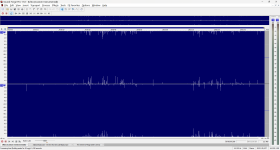
Hi @AlexDC22. Like @DCurrent said, it looks like a issue with the sound effects volume. Considering the music volume I saw in the files you sent, I suggest to reduce all your audio files volume using an audio editor, plus changing to 22khz or 44khz 16bit format.

SOR1 Intro
1720930290033.png

Your bossQ music
1720930332791.png

You can convert to .bor or extract from .bor format using this wavtobor app.
 
Hi @AlexDC22. Like @DCurrent said, it looks like a issue with the sound effects volume. Considering the music volume I saw in the files you sent, I suggest to reduce all your audio files volume using an audio editor, plus changing to 22khz or 44khz 16bit format.

SOR1 Intro
View attachment 8634

Your bossQ music
View attachment 8635

You can convert to .bor or extract from .bor format using this wavtobor app.
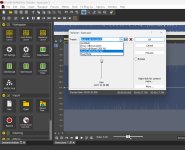
when you can could you suggest some settings? cus ive cut the audio to 50% which is crazy low and still having the same issues.. again havent messed with audio since like forever and well.. lol age hasnt been my friend lol...and am just really dont know wth am doing it seems...tried audacity as well and thats even worse lol thanks
 

Attachments

  • Untitled-1.jpg
    Untitled-1.jpg
    697.2 KB · Views: 2
  • 22.jpg
    22.jpg
    942.2 KB · Views: 2
so after doing a test with no music to see if sounds would have to be toned down... it seems that yeah they do so am gonna try older engines as is just no way... still weird that only happens when lots of stuff is happening but not on few enemies at a time parts... doesnt make any sense to me lol
 
so i can live with this, but is there a way to make it so you cant see this in game so no one messes with it and screws the game up? thanks and apologies not trying to be a nag i really want to be up to date id hate to go backwards lol
thanks
 

Attachments

  • 22.jpg
    22.jpg
    1 MB · Views: 2
so after doing a test with no music to see if sounds would have to be toned down... it seems that yeah they do so am gonna try older engines as is just no way... still weird that only happens when lots of stuff is happening but not on few enemies at a time parts... doesnt make any sense to me lol
What v4 build are you using? There's some small improvements made in the sound code, please try this one and let me know if the issue persists.

doesnt make any sense to me lol
Same as in older builds, usually the engine will mix all instances of the same sound when played at the same time, increasing the total volume. But now considering the 64 limit removal, we need to carefully adjust the volume in every sound file.
 
What v4 build are you using? There's some small improvements made in the sound code, please try this one and let me know if the issue persists.


Same as in older builds, usually the engine will mix all instances of the same sound when played at the same time, increasing the total volume. But now considering the 64 limit removal, we need to carefully adjust the volume in every sound file.
this magically fixes the issue without doing anything to the sound files as before... thank you :)
 
Glad it worked :)
In this case I suggest using only this build 7612, it contains many updates not present in the latest one officially launched.
i will do this brother, i just kinda want to be up to date, appreciate the help... been a while since ive done this and i am more of a give me PS pentool or give me death than coding stuff lol... tho i try to manage lol
thanks again
 
Back
Top Bottom