oldyz
Well-known member
My Biggest gripe with beat-them ups is the fact that you can memorize all of the enemies patterns & then pretty much you "spam" a couple of moves & combos all over the game & that's it.
Another is the way enemies have the tendency to "clump" in a way that looks very unnatural, they even "fuse" into a single place or line up ina way that you can just punch 5 or 6 at the same time
SO I be sharing this tutorial for anyone who wants to make a game a game where enemies behave in a different way any time you start again , or reload from a save file.
----------------------- spawning styles ------------------
1 enemy appears from edges of the screen, falls from the top, breaks trough a wall, appears from a portal or from the ground Bugs Bunny style
2 the enemy is on screen - standin around, laying down, sitting
in this fist post i will explain how to do a "randomizing" using multiple entities & script for Entities that do not need a first frame:
Step 1
Making the "clones"
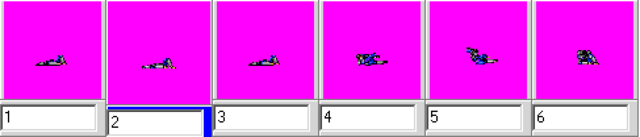
fist, you take an entity like this zombie - for now we can focus on few variables:
Zombie
for Zombie-1, we change health to 150 speed to .1, AI to chasez, wander, and agression to 666 -
so we have a version of the zombie that is very resistant, but slow & very aggressive, and will chase you only in a "vertical" way
much more variables can be changed from damage inflicted from its attacks, to its combo system, resistance to knockdown, etc.
Step 2
Setting up the "Zombiemizer"
for this example , we end up with 6 zombies - zombie, zombie, zombie-1, zombie-2, zombie-7, zombie-15, so we need an entity that can call on them:
Step 3
Adding the information to models.txt
Step 4
preparing the "deck"
here is the script that does the "Randomization/Shuffling", place this script in the scripts folder
Step 5
Ready for action
after that place them in the level.txt file:
------------------ Problems, this version of the method breaks the function of these "flags" ----------
spawn zombieMIzer
item bosslow
coords 35 200
at 0
spawn zombieMIzer
item Broodwich
coords 95 220
at 0
spawn zombieMIzer
boss 1
coords 155 200
at 0
currently working a solution for this issue
Another is the way enemies have the tendency to "clump" in a way that looks very unnatural, they even "fuse" into a single place or line up ina way that you can just punch 5 or 6 at the same time
SO I be sharing this tutorial for anyone who wants to make a game a game where enemies behave in a different way any time you start again , or reload from a save file.
----------------------- spawning styles ------------------
1 enemy appears from edges of the screen, falls from the top, breaks trough a wall, appears from a portal or from the ground Bugs Bunny style
2 the enemy is on screen - standin around, laying down, sitting
in this fist post i will explain how to do a "randomizing" using multiple entities & script for Entities that do not need a first frame:
Step 1
Making the "clones"
fist, you take an entity like this zombie - for now we can focus on few variables:
Zombie
Code:
name	Zombie
health	50
speed	5
type	enemy
aimove chase
aimove wander
aimove normal
aiattack dodgemove
shadow	3
noquake 1
score	400	5
falldie 1
nodieblink 3
throwdamage	20
paingrab 1
grabdistance 24
nolife 1
running  10 4 2 1 0
gfxshadow 1
aggression -10
for Zombie-1, we change health to 150 speed to .1, AI to chasez, wander, and agression to 666 -
so we have a version of the zombie that is very resistant, but slow & very aggressive, and will chase you only in a "vertical" way
much more variables can be changed from damage inflicted from its attacks, to its combo system, resistance to knockdown, etc.
Step 2
Setting up the "Zombiemizer"
for this example , we end up with 6 zombies - zombie, zombie, zombie-1, zombie-2, zombie-7, zombie-15, so we need an entity that can call on them:
Code:
name zombieMizer
nolife 1
type none
lifespan 3
gfxshadow 1
animationscript data/scripts/zombieMizer.c
## load variations ##
load zombie
load zombie-1
load zombie-2
load zombie-7
load zombie-10
load zombie-15
anim idle
	delay 1
	offset 15 20
	bbox 0 0 0 0
	frame data/chars/misc/empty
	[USER=19308][/USER]cmd zombieMizer 0 0 0
	frame data/chars/misc/empty
Step 3
Adding the information to models.txt
Code:
#
## rises from ground ##
load	zombie       	        data/chars/zombie/zombie.txt
load	zombietest       	        data/chars/zombie/zombietest.txt
know	zombie-1       	        data/chars/zombie/zombie-1.txt
know	zombie-2       	        data/chars/zombie/zombie-2.txt
know	zombie-7       	        data/chars/zombie/zombie-7.txt
know	zombie-10       	data/chars/zombie/zombie-10.txt
know	zombie-15       	data/chars/zombie/zombie-15.txt
## randomizer ##
load	zombieMizer       	data/chars/zombie/zombieMizer.txt
##
#
Step 4
preparing the "deck"
here is the script that does the "Randomization/Shuffling", place this script in the scripts folder
Code:
void zombieMizer(float fX, float fY, float fZ){
void self = getlocalvar("self");
void vSpawn;
void vName;
void vRName = getentityproperty(self,"defaultname");
void vAlias = getentityproperty(self,"name");
void vWeap = getentityproperty(self,"name");
int  iMHealth = getentityproperty(self,"maxhealth");
int  iHealth = getentityproperty(self,"health");
int  iDirection = getentityproperty(self, "direction");
int  iMap = getentityproperty(self, "map");
int  iR = rand()%50+50;
if (iR >= 0 && iR < 16){
vName = "Zombie-1";
}else if (iR >= 17 && iR < 34){
vName = "Zombie-2";
}else if (iR >= 35 && iR < 51){
vName = "Zombie-7";
}else if (iR >= 52 && iR < 68){
vName = "Zombie-10";
}else if (iR >= 69 && iR < 85){
vName = "Zombie-15";
}else if (iR >= 86 && iR < 100){
vName = "Zombie";
}
clearspawnentry();
setspawnentry("name", vName);
if (iDirection == 0){
fX = -fX;
}
fX = fX + getentityproperty(self, "x");
fY = fY + getentityproperty(self, "a");
fZ = fZ + getentityproperty(self, "z");
vSpawn = spawn();
changeentityproperty(vSpawn, "position", fX, fZ, fY);
changeentityproperty(vSpawn, "direction", iDirection);
return vSpawn;
}
Step 5
Ready for action
after that place them in the level.txt file:
Code:
notime 1
settime 0
#background	data/bgs/library/testpanel
panel		data/bgs/0testlevel/testpanel
#frontpanel      data/bgs/library/p1
#fglayer 	data/bgs/lv4/swc5a 4 1 0 0 0 99999999 0 2 1 1 2
order	a
direction both
spawn1 10 10 0
spawn2 80 70 0
cameratype 1
#levelscript data/bgs/library/library.c
load bosser
load bosslow

#--group1-----
shadowalpha 2
at 0
light 256 33
at 0
spawn	lvbegin2
flip 1
coords	10 10
at	0

#mark#
[USER=19308][/USER][USER=19308][/USER][USER=19308][/USER][USER=19308][/USER][USER=19308][/USER][USER=19308][/USER][USER=19308][/USER][USER=19308][/USER][USER=19308][/USER][USER=19308][/USER][USER=19308][/USER][USER=19308][/USER][USER=19308][/USER][USER=19308][/USER][USER=19308][/USER][USER=19308][/USER][USER=19308][/USER][USER=19308][/USER][USER=19308][/USER][USER=19308][/USER][USER=19308][/USER][USER=19308][/USER][USER=19308][/USER][USER=19308][/USER][USER=19308][/USER][USER=19308][/USER][USER=19308][/USER]

spawn zombieMIzer
item bosslow
coords	35 200
at	0

spawn zombieMIzer
item brl
coords	95 220
at	0

spawn zombieMIzer
coords	155 200
at	0

spawn zombieMIzer
coords	215 220
at	0
------------------ Problems, this version of the method breaks the function of these "flags" ----------
spawn zombieMIzer
item bosslow
coords 35 200
at 0
spawn zombieMIzer
item Broodwich
coords 95 220
at 0
spawn zombieMIzer
boss 1
coords 155 200
at 0
currently working a solution for this issue