Streets of Rage X (Windows / Android)

In Progress Streets of Rage X (Windows / Android) Beta 35

No permission to download
The project is currently under development.
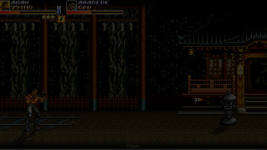
Testing ARM build on a Raspberry pi 3 with a 32 bit O.S., the progress is going well so far.

There's some performance issues, like fps drop, but it's related to a lot of game scripts running in a low hardware device. At least the engine is working well with no crashes.

1781652138687.png
 
Testing ARM build on a Raspberry pi 3 with a 32 bit O.S., the progress is going well so far.

There's some performance issues, like fps drop, but it's related to a lot of game scripts running in a low hardware device. At least the engine is working well with no crashes.

View attachment 15068
You don't know how excited that makes me. Thanks so much! Hope you find very little problems🤞
 
Just a small change in the "classic resolution" version related to the logos, since webm videos do not run well in low hardware devices like raspberry pi. I replaced them with a gif version.

The only webm remaining is the "press start" screen, but due to it playing only two frames, it runs well and can be maintained.
Nothing was changed in the default version of the game.

 
Kratus updated Streets of Rage X (Windows / Android) with a new update entry:

Beta 35

### BETA 35.CC2 ###
- Engine: Added AppImage files for Raspberry Pi O.S., both tested on a Pi 3 using Bookworm 32bit (compiled on a Buster O.S. with glibc 2.28) and Trixie 64 bit systems.
- Game: BKM Adam, many sprite adjustments.
- Game: SOR2 Blaze update, fixed some glitches in the rage cannon when close to walls, reduced the size a bit.
- Game: Fixed some glitches when a grab starts close to an obstacle.
- Game: Fixed Max "grab jump" crash.
- Game: Minor fix in the "time over" text code...

Read the rest of this update entry...
 
I just uploaded a new SoRX game file that contains fixes/updates based on the last feedback.

In addition, this time I added AppImage files for Arm architecture. In this first step it was compiled to work on the official Raspberry Pi O.S. 32/64 bits (Bookworm/Trixie respectively), plus it also works on the official RetroPie .img file for RPi 3 based on Buster 32 bits.

I compiled using the oldest system possible to improve the compatibility, currently using the GLIBC 2.28 (Buster).

I was able to run a full playthrough with no problems, except for some fps drops but mainly due to the low hardware device Pi3.
Honestly I'm surprised and satisfied with the results because SoRX is not light, it has a lot of scripts running at the same time. However, it means that the optimizations made in the last versions are working well.

In case you need to extract the OpenBOR binary and dependencies to test in other systems, run the game AppImage files using the arguments --appimage-extract, and after that you should run the "AppRun" that is placed inside the "squashfs" folder instead of the binary directly (in case you need to use the dependencies placed inside "/usr/lib/" folder).

Some instructions about RetroPie:

- Put the game content in the folder "/ports/sorx/".
- Put the selected game .sh (shell) file in the folder "/ports/".
- Authorize both selected .sh and AppImage files through "chmod".
- Inside the .sh file, you need to enable only the line that corresponds to the selected game version.
- You may have to add the "ports" section manually in the file es_systems.cfg in case it does not appear automatically, here's how it should look like.

Code:
<system>
    <name>ports</name>
    <fullname>Ports</fullname>
    <path>/home/pi/RetroPie/roms/ports</path>
    <extension>.sh .SH</extension>
    <command>/opt/retropie/supplementary/runcommand/runcommand.sh 0 _SYS_ ports %ROM%</command>
    <platform>ports</platform>
    <theme>ports</theme>
</system>

- Depending on how your RetroPie is configured, you may need to make some changes in the config folder using these commands.

mkdir -p /opt/retropie/configs/ports/
nano /opt/retropie/configs/ports/emulators.cfg

- Then, inside the newly created emulators.cfg file using nano editor, paste these lines.

default = "exec-appimage"
exec-appimage = "%ROM%"

Well, that's all. As always, any feedback is appreciated.

 
Last edited:
@yerboydrew
Friend, in this first step, there's a high chance of the RPi build not working on the SEGA mini console because I don't have one to make tests.
However, I would appreciate it if you could share the results in case you test on your device.
 
Greetings from Argentina
@S Mars Thanks buddy :)

Hi Kratus, is this a download error or do you not have the Windows version?
I just downloaded the game and the Windows version looks fine.

1782530441176.png

Also, the other versions are for 2 players, not 4.
Exactly, this is not a bug, this is intentional to work on the same way as the original games.
The versions marked in red are for 4 players, and the classic ones are for 2 players.

1782530298611.png
 
Oh? Do you have a link to a video? Or even a picture?

Is it on a secret route that I'm overlooking?
@DoubleDragons Hi friend, here's some videos showing him in action. You can also fight against him in the SOR1 route, selecting the "down path" at the end of the stage 5 (after defeating Onihime/Yasha).


Wow! This just gets better and better.

With the classic resolution fork, I like how this also doubles as a preservationist effort. A completist version with all things OG SOR.
Thank you :)
 
@yerboydrew
Friend, in this first step, there's a high chance of the RPi build not working on the SEGA mini console because I don't have one to make tests.
However, I would appreciate it if you could share the results in case you test on your device
I’ll give it a try asap. My console guy is getting a new pc at the moment but I’ll have him look at it as well.
 
Last edited:
of course not. Genesis doesn't have enough power to handle this game.
This is not a rom hack, its full game
Oh wow thats wild af. I'm literally getting back into retro gaming like today, and this was the first thing I wanted to add as a cartridge for the sega lol I got avp (the arcade) in a cart form for snes
 
Kratus updated Streets of Rage X (Windows / Android) with a new update entry:

Beta 35

### BETA 35.CC3 ###
- Game: SOR1 Blaze, minor collision box adjustments, blitz/special attacks animation revision.
- Game: SOR1 Onihime, minor collision box adjustments, blitz/special attacks animation revision.
- Game: SOR3 Blaze, minor weapon position adjustments.

### BETA 35.CC2 ###
- Engine: Added AppImage files for Raspberry Pi O.S., both tested on a Pi 3 using Bookworm 32bit (compiled on a Buster O.S. with glibc 2.28) and Trixie 64 bit systems.
- Game: BKM Adam, many sprite...

Read the rest of this update entry...
 
@Kratus I was playing the latest beta (the video should be on my channel tomorrow) and I noticed two things:
- Before the battle against Yamato, a shuriken briefly appears on the screen. I thought it was a bug, but when I checked the original game (since I didn't remember it clearly), Yamato appears throwing the shuriken with a *Predator*-style transparency effect. I'm not sure if it would be better to have Yamato at about 10% transparency, as it currently looks like a glitch—since there’s no one there and Yamato only appears later.
VIDEO_2022.mp4_snapshot_00.24.06.812.png

- I ran into issues during the section with the "X" robots. After one of them laughed near the edge of the screen, he went off-camera, and I couldn't hit him (nor could he hit me). I tried using the police, but that didn't work either. I could hear that there was more than one "X" robot; they were laughing and shooting but missing me, and things stayed that way for a while until I lured them back onto the screen by running to the left.
VIDEO_2022.mp4_snapshot_00.51.51.486.png
 
@Kratus I was playing the latest beta (the video should be on my channel tomorrow) and I noticed two things:
- Before the battle against Yamato, a shuriken briefly appears on the screen. I thought it was a bug, but when I checked the original game (since I didn't remember it clearly), Yamato appears throwing the shuriken with a *Predator*-style transparency effect. I'm not sure if it would be better to have Yamato at about 10% transparency, as it currently looks like a glitch—since there’s no one there and Yamato only appears later.
Thanks buddy, I will test your suggestion :)

- I ran into issues during the section with the "X" robots. After one of them laughed near the edge of the screen, he went off-camera, and I couldn't hit him (nor could he hit me). I tried using the police, but that didn't work either. I could hear that there was more than one "X" robot; they were laughing and shooting but missing me, and things stayed that way for a while until I lured them back onto the screen by running to the left.
Thanks for the catch, I replicated the same situation you mentioned and in fact the Robot X stays outside of the screen, laughing and trying to shoot.

This happens because this character walks in a straight line only. Due to the distance, he will try to shoot but since certain projectiles are removed when outside of the screen, if players or cpu partners keep the same position at the screen edge, he will enter into a shoot/laugh loop.

Based on your image, Abadede is trying to chase him, causing the loop. In situations like that at the cpu partner mode, I suggest using the "call" button, this way you can stop the cpu partner attacks temporarily.

I will improve the Robot X behaviours to avoid this kind of situation.
 
Back
Top Bottom