kzr
Member
I probably messed up the explanation. let me try againI don't think so. it's more of an optical illusion, not a problem with the tool.
The Y axis is controlled by the value you put in "ALT", not the Z axis.
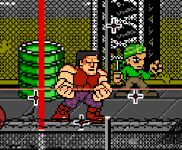
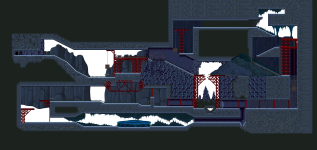
Look at this level from my game: it's a 2D level, where you start at the bottom right of the screen and go up to the top left. The Z value is 1288 (which is where the shadow appears) but the ALT is 70, and that is what makes the character appear in the air.
View attachment 7453
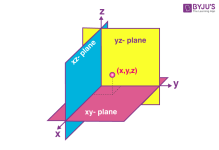
It's natural that when you move something on the Z axis it appears to be "higher" or "lower" on the Y axis, but it's just an optical illusion.
the screen is flat. Just the screen, no program or game. it has width (X) and height (Y)
CMT uses the actual Y coordinate and writes it to the Z value, not to Altitude.
like I said, in 2.5D this is correct. but in 2D it makes not so much sense because you typically only need X and Y, and moving things around in the editor changes X and Z.
I understand the optical issue because the planes are flattened. I used to do this kind of projection in geometry class.
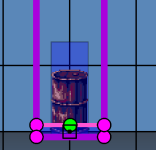
my point is, you can define the altitude of a terrain volume, no problem. but you can't have more underneath because they must start at your desired minimum Z, and will overlap.
as for the camera, check this out
I made this in another engine. it allows you to see further ahead and doesn't pick up twitchy movements